Best cold email software and providers in 2026
Cold email tools compared by layer: inbox providers, sending platforms and verification. What each is best for, Google's sender rules, and where LinkedIn fits better.
The short answer
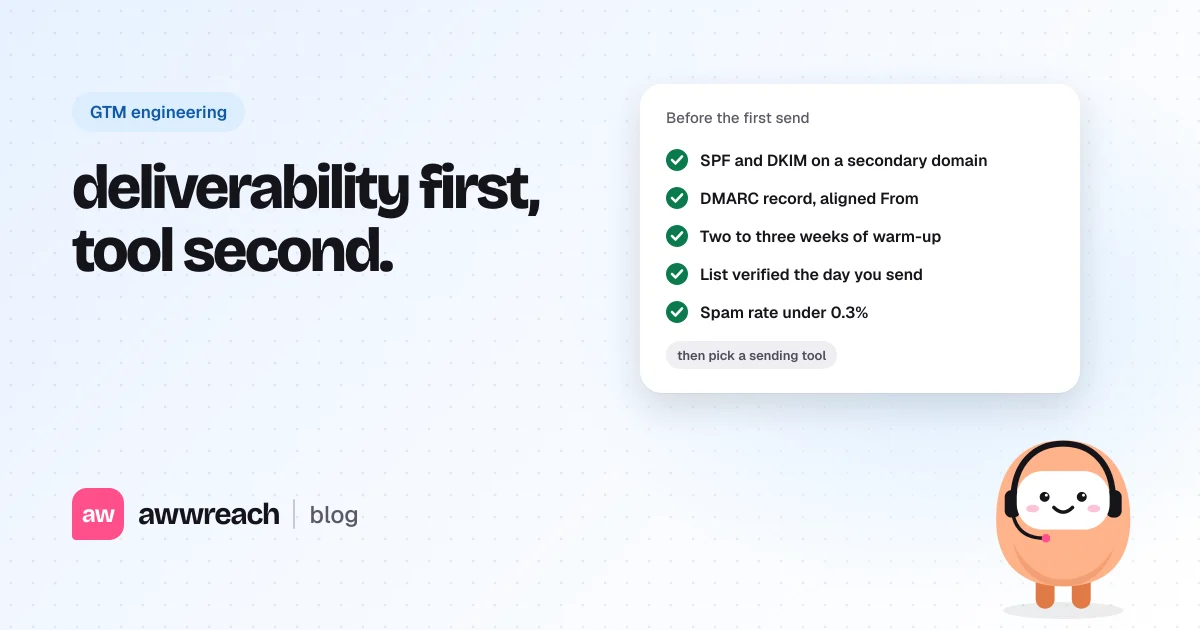
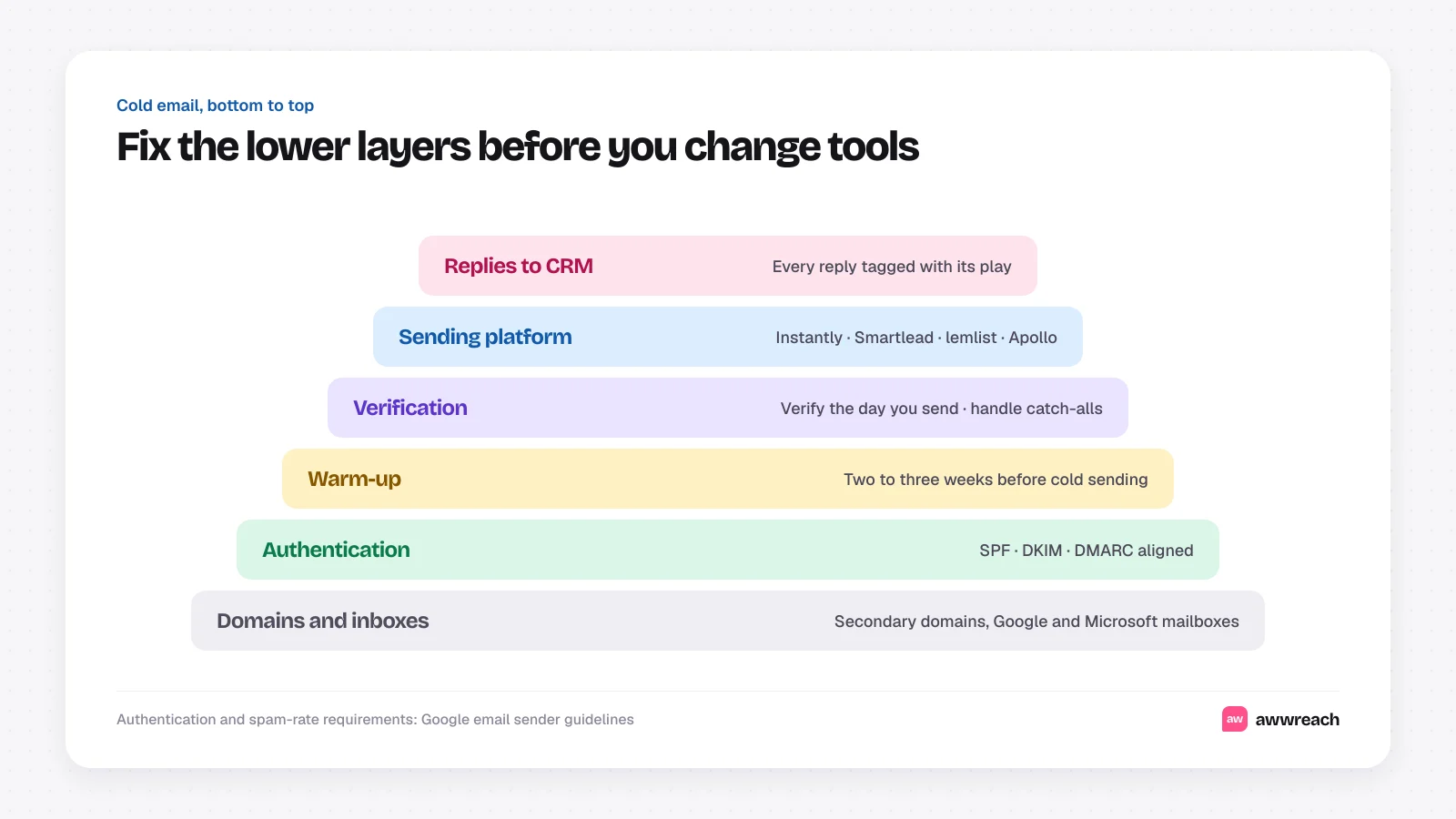
The best cold email setup has three layers, and the sending tool is only one of them. First, inboxes on secondary domains with SPF, DKIM and DMARC set up. Second, a sending platform such as Instantly, Smartlead, lemlist or Apollo, chosen by how many inboxes you run and whether you need multichannel steps. Third, list verification before every send. Get the first and third right and most mainstream sending tools will work.
On this page
#The three layers people mix up
“Cold email provider” can mean three different things, and buying the wrong one is the most common setup mistake.
| Layer | What it does | Examples |
|---|---|---|
| Inbox infrastructure | The mailboxes and domains messages are sent from | Google Workspace, Microsoft 365, dedicated cold email inbox providers |
| Sending platform | Schedules sequences, rotates inboxes, tracks replies | Instantly, Smartlead, lemlist, Apollo, Outreach, Salesloft |
| Verification and data | Checks addresses exist before you send | MillionVerifier, ZeroBounce, NeverBounce, enrichment waterfalls |
#Sending platforms compared
These are the tools GTM engineers mention most. Pricing changes often, so this compares fit rather than cost.
| Tool | Best for | Watch out for |
|---|---|---|
| Instantly | Teams running many inboxes who want warm-up and sending in one place | Easy to send too much. Set per-inbox caps yourself |
| Smartlead | Agencies and GTM engineers who want an API, sub-accounts and white-labelling | More settings to get right before the first send |
| lemlist | Small teams who want email plus LinkedIn steps and personalised images | Multichannel steps still need LinkedIn's limits respected |
| Apollo | Teams who want the contact database and sequencing in one tool | Shared data means competitors may contact the same people |
| Outreach or Salesloft | Larger sales teams sending from primary domains with deep CRM sync | Built for warm and existing pipeline more than high-count cold sending |
#Inbox infrastructure that holds up
- Use secondary domains. Send cold email from look-alike domains (for example getbrand.com) so your primary domain's reputation stays clean.
- Keep each inbox light. A few dozen cold emails per inbox per day is a common ceiling among practitioners. Add inboxes rather than pushing one harder.
- Warm up new inboxes for two to three weeks before cold sending, and keep warm-up running at a low level after.
- Mix providers if you send at any size. Google and Microsoft inboxes land differently with different recipients.
#The rules your setup has to pass
Google's email sender guidelines set the bar for anyone sending to Gmail, and Yahoo adopted similar rules. For bulk senders, defined by Google as close to 5,000 or more messages a day to Gmail accounts, the requirements include:
- SPF and DKIM authentication on the sending domain.
- A DMARC record, with the From domain aligned to SPF or DKIM.
- One-click unsubscribe for marketing and promotional mail, honoured within two days.
- A spam complaint rate kept below 0.3%, as reported in Google Postmaster Tools.
Cold sending rarely hits 5,000 a day from one domain, but filters judge everyone by the same signals. Treat these as the minimum.
#Verify every list before it sends
Bounces damage inbox reputation faster than almost anything else. Run each list through a verification service right before sending, not when it was built, since addresses go stale. Handle catch-all domains (which accept any address) separately: send to them from your healthiest inboxes in small batches, or skip them.
#Where email stops and LinkedIn starts
Email is good at carrying proof: a benchmark, a checklist, a teardown. It's weak at establishing that you're a real person worth answering. That's where LinkedIn helps. A profile visit, a follow and a genuine comment before the email arrives make your name familiar when it lands.
awwreach runs that LinkedIn warm-up as a flow, paced 3–9 minutes apart with dry run on by default, and routes replies to your CRM or an n8n webhook next to your email replies.
#Fix the base layers, then pick the tool
Most deliverability problems blamed on a sending tool start in the layers underneath it: unauthenticated domains, overworked inboxes, unverified lists. Get those right and the choice between mainstream platforms comes down to workflow fit. Then spend the time you saved on the part that earns replies, a message worth reading.
Frequently asked questions
It depends on your setup. Instantly and Smartlead suit teams running many inboxes, lemlist suits small multichannel teams, and Apollo suits teams that want data and sequencing in one tool.